The traditional copy-paste loop
Every correction becomes a separate context-switching task.
- Review writing signals while composing
- Open or dismiss suggestion cards
- Choose changes one at a time
- Return to the original thought
Grammarly alternative without popups
Some writers want continuous guidance. Others only want a fast correction when they ask for it. Polish is built for the second group. It stays out of sight, then fixes selected text in place after one shortcut.
Can you please confirms when the issue is resolve?
Can you please confirm when the issue is resolved?
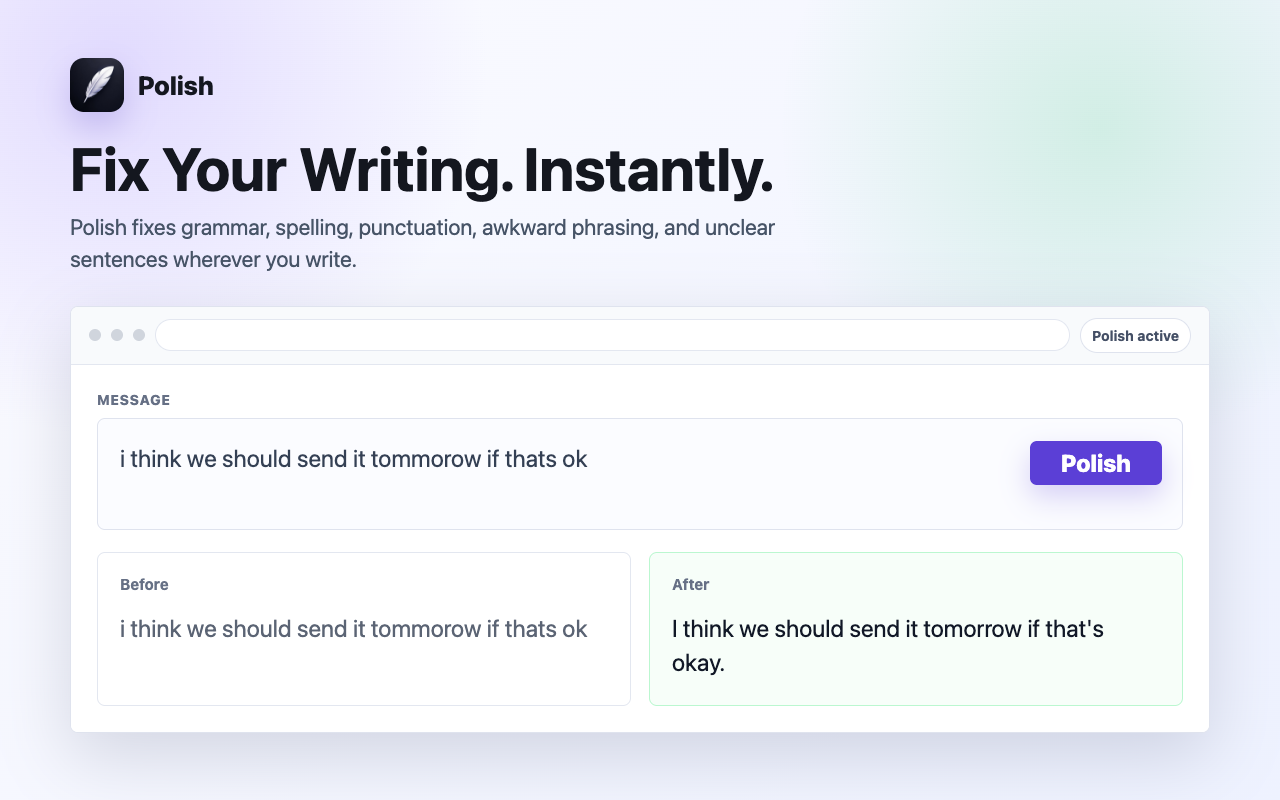
See it in action: Highlight any text in Chrome, press ⌘⇧P (Mac) or Alt+Shift+P (Windows), and watch Polish improve it in place in ~0.7 seconds.
Remove the detour
Polish eliminates the extra workflow between noticing a draft and perfecting it.
Every correction becomes a separate context-switching task.
Fix writing in ~0.7s where work is already happening.
Presets for every scenario
Whether sending high-stakes business emails or casual team replies, Polish provides intelligent presets tailored to your context.
Polished, diplomatic, and executive-ready phrasing for work emails and client outreach.
Warm, approachable, and constructive tone for Slack and collaborative team messages.
Cuts unnecessary fluff and filler words to deliver crisp, high-impact executive summaries.
Removes timid qualifiers and passive voice to speak with authority and conviction.
Empathetic, clear, and solution-oriented replies that boost CSAT scores and speed up resolution.
Punchy value propositions and clear calls to action that increase response rates.
Sub-second spelling, punctuation, and grammar fixes while staying 100% true to your original words.
Natural English phrasing and preposition adjustments for non-native speakers.
Built for speed & focus
Polish fixes grammar, flow, and tone while keeping your exact facts, numbers, and intent 100% intact.
Zero background keystroke tracking. Polish reads text only when you explicitly press the shortcut.
Powered by Cerebras AI chips to deliver in-place replacements in ~0.7s with zero lag.
Choose the workflow
Grammarly and Polish solve overlapping writing problems with different interaction models. The better choice depends on how much assistance you want visible while you write.
| Difference | Grammarly | Polish |
|---|---|---|
| When it appears | Writing assistance and suggestions can appear while you type | Polish appears only after you trigger it |
| Main interaction | Review suggestions and writing-assistant features | Press one shortcut to replace selected text |
| Visual experience | Underlines, suggestion cards, and assistant surfaces | No Polish underlines, popup, or sidebar |
| Product scope | Broad writing and communication assistance | Focused corrections plus an optional clearer rewrite mode |
| Best fit | Writers who want continuous guidance | Writers who want fast, on-demand correction |
Grammarly is a trademark of Grammarly, Inc. Polish is not affiliated with or endorsed by Grammarly.
Related workflows
Fix grammar, spelling, punctuation, and typos in Notion documents and notes from Chrome. Polish corrects selected text in place.
Fix typos, grammar, and tone in Zendesk support tickets instantly. Polish corrects customer replies directly in Chrome.
Correct grammar, typos, and tone in LinkedIn posts, articles, and InMail messages directly in Chrome with one keyboard shortcut.
Questions & Answers
No. Polish operates with zero keystroke logging. It acts only after you explicitly select text and trigger the keyboard shortcut (⌘⇧P / Alt+Shift+P) or context menu.
No. Polish preserves your exact facts, names, numbers, code, and intent. It refines grammar, tone, and clarity without hallucinating or rewriting your core message.
Polish is designed to work in standard text fields, textareas, and rich-text editors (Draft.js, Slate, ProseMirror, Quill, Lexical, Notion, Google Docs) across Chrome.
Yes. The Free plan includes 10 free Polish actions every day with zero credit card required.
Install Polish and try your next draft free.