Non-Native English Writing Assistant

Write Fluent, Natural English Anywhere in Chrome

If English is your second language, expressing complex ideas naturally can be challenging. Polish understands non-native phrasing and refines it into natural, fluent English without altering your core ideas.

Write fluent English free 10 free fixes daily. No credit card.
Global Communication Example ⌘⇧P / Alt+Shift+P
Draft Global Communication

I am writing for asking if we can make a meeting regarding to discuss the project budget.

✓ Polished in ~0.7s Natural Fluency

I am writing to ask if we could schedule a meeting to discuss the project budget.

One shortcut No popup or sidebar Corrected in the same editor Preserves markdown and tone
🔒 Global Communication · Polish AI Extension
Native Fluency Engine
Non-native English writing assistant helping global professionals write fluent English

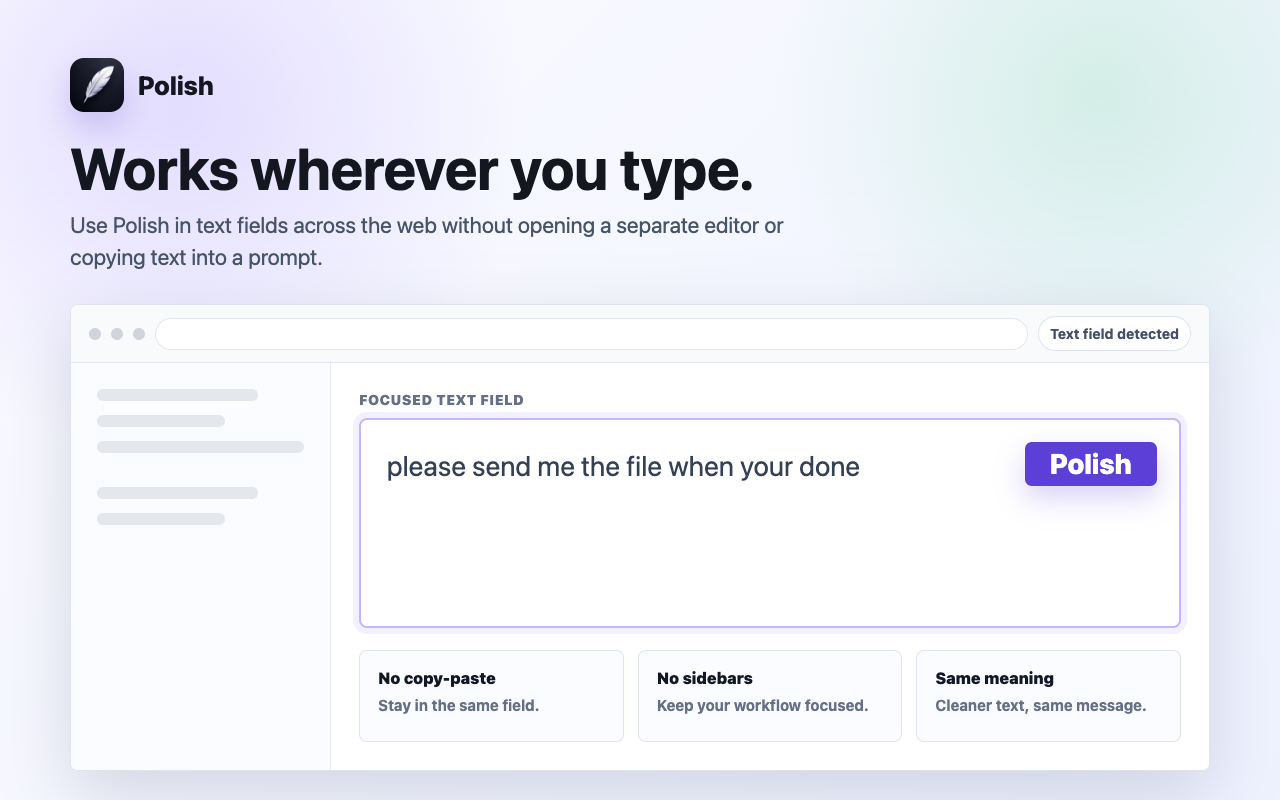
See it in action: Highlight any text in Global Communication, press ⌘⇧P (Mac) or Alt+Shift+P (Windows), and watch Polish improve it in place in ~0.7 seconds.

Remove the detour

A small correction should stay a small correction.

Polish eliminates the extra workflow between noticing a draft and perfecting it.

The traditional copy-paste loop

Every correction becomes a separate context-switching task.

  1. Translate sentences back and forth in Google Translate
  2. Worry about prepositions, articles, and phrasing
  3. Spend extra time editing every email
  4. Lose confidence in workplace communication

The Polish workflow

Fix writing in ~0.7s where work is already happening.

  1. Type your thoughts freely in English
  2. Highlight and press ⌘⇧P
  3. Get natural, fluent, native-level phrasing in place

Presets for every scenario

The right tone for every message and audience

Whether sending high-stakes business emails or casual team replies, Polish provides intelligent presets tailored to your context.

💼

Professional

Polished, diplomatic, and executive-ready phrasing for work emails and client outreach.

😊

Friendly

Warm, approachable, and constructive tone for Slack and collaborative team messages.

Concise

Cuts unnecessary fluff and filler words to deliver crisp, high-impact executive summaries.

🚀

More Confident

Removes timid qualifiers and passive voice to speak with authority and conviction.

💬

Customer Support

Empathetic, clear, and solution-oriented replies that boost CSAT scores and speed up resolution.

🎯

Sales Outreach

Punchy value propositions and clear calls to action that increase response rates.

🛡️

Fix Grammar

Sub-second spelling, punctuation, and grammar fixes while staying 100% true to your original words.

Built for speed & focus

Less interruption. Total writing control.

Preserves Your Authentic Voice

Polish fixes grammar, flow, and tone while keeping your exact facts, numbers, and intent 100% intact.

100% On-Demand & Private

Zero background keystroke tracking. Polish reads text only when you explicitly press the shortcut.

Sub-Second AI Inference

Powered by Cerebras AI chips to deliver in-place replacements in ~0.7s with zero lag.

Speed & Workflow Comparison

Why professionals switch to Polish AI

Compare the traditional copy-paste loop against in-place sub-second polishing.

Workflow FeatureExternal AI / ChatGPTBulky ExtensionsPolish AI
Correction Speed40-60 seconds5-10 seconds~0.7s (Sub-second)
In-Place EditingRequires new tab and pasteFloating sidebarsReplaces text in place
UI DistractionsConstant tab switchingRed squiggly lines and popupsZero popups, quiet
Keystroke PrivacyCloud copy-pasteContinuously logs typingZero keylogging on-demand
Code and MarkdownOften breaks formattingStrips backticks100% Preserved

Related workflows

Keep correcting text where you write it.

ESL Writing Assistant

Eliminate grammar errors, wrong prepositions, and awkward sentence structures. Polish helps ESL writers craft flawless English in real time.

Sales Email Rewriter

Turn lengthy, boring sales pitches into compelling, concise outreach emails. Polish rewrites cold emails and follow-ups directly in Chrome.

Questions & Answers

Frequently Asked Questions

Does Polish monitor everything I type in Global Communication?

No. Polish operates with zero keystroke logging. It acts only after you explicitly select text and trigger the keyboard shortcut (⌘⇧P / Alt+Shift+P) or context menu.

Will Polish change what I meant to say?

No. Polish preserves your exact facts, names, numbers, code, and intent. It refines grammar, tone, and clarity without hallucinating or rewriting your core message.

Does Polish work in every Global Communication editor?

Polish is designed to work in standard text fields, textareas, and rich-text editors (Draft.js, Slate, ProseMirror, Quill, Lexical, Notion, Google Docs) across Chrome.

Is there a free plan available?

Yes. The Free plan includes 10 free Polish actions every day with zero credit card required.

Full writing confidence for global professionals.

Install Polish and try your next draft free.

Write fluent English free