The traditional copy-paste loop
Every correction becomes a separate context-switching task.
- Struggle to find the right tone
- Open ChatGPT in another tab
- Paste private email and write a prompt
- Copy the response back and fix stripped formatting
Professional Email Rewriter for Chrome
Never stress over sending an awkward or informal email again. Highlight your rough draft in Gmail, Outlook, or any web client, press one shortcut, and Polish AI rewrites it to sound professional, articulate, and respectful.
hey john this isn't working please check and tell me when it will be fixed thanks
Hi John,
This doesn’t appear to be working as expected. Could you please take a look when you have a moment and let me know the status? Thanks!
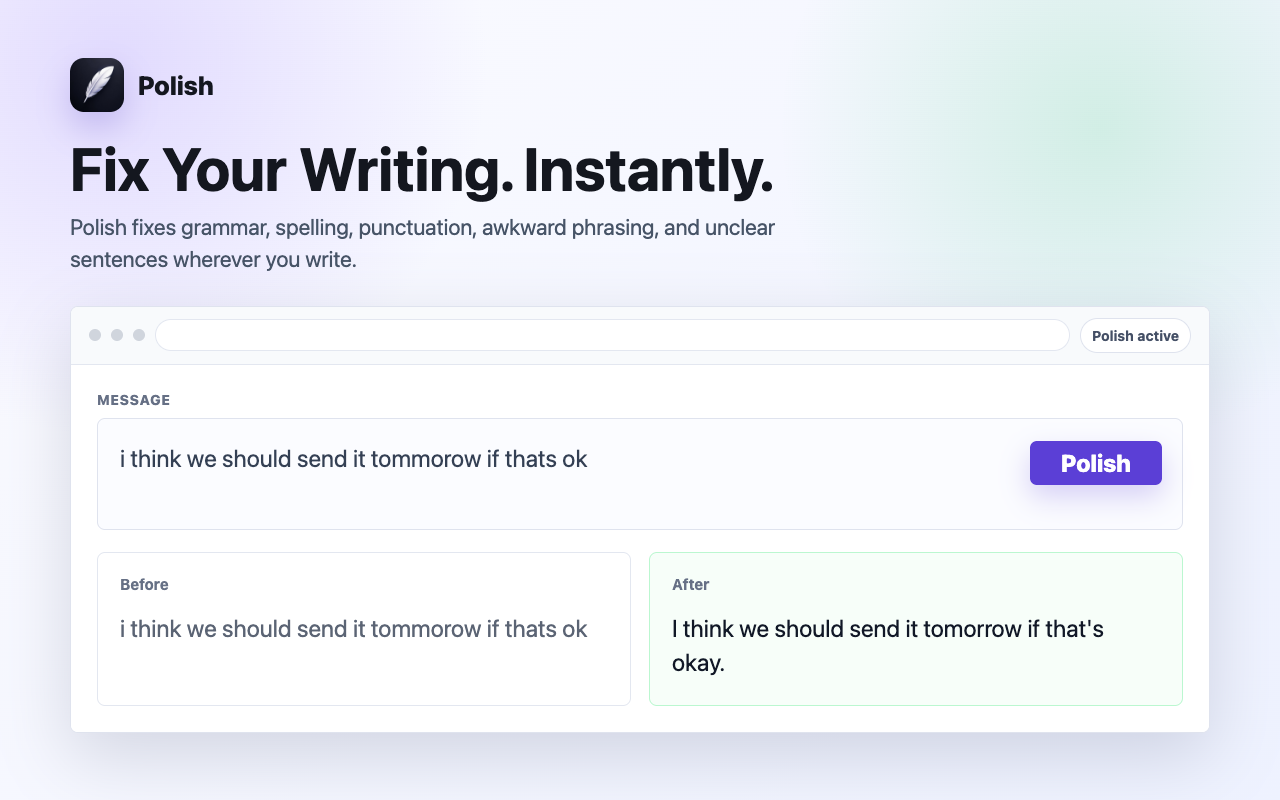
See it in action: Highlight any text in Email & Gmail, press ⌘⇧P (Mac) or Alt+Shift+P (Windows), and watch Polish improve it in place in ~0.7 seconds.
Remove the detour
Polish eliminates the extra workflow between noticing a draft and perfecting it.
Every correction becomes a separate context-switching task.
Fix writing in ~0.7s where work is already happening.
Presets for every scenario
Whether sending high-stakes business emails or casual team replies, Polish provides intelligent presets tailored to your context.
Polished, diplomatic, and executive-ready phrasing for work emails and client outreach.
Warm, approachable, and constructive tone for Slack and collaborative team messages.
Cuts unnecessary fluff and filler words to deliver crisp, high-impact executive summaries.
Removes timid qualifiers and passive voice to speak with authority and conviction.
Empathetic, clear, and solution-oriented replies that boost CSAT scores and speed up resolution.
Punchy value propositions and clear calls to action that increase response rates.
Sub-second spelling, punctuation, and grammar fixes while staying 100% true to your original words.
Natural English phrasing and preposition adjustments for non-native speakers.
Built for speed & focus
Polish fixes grammar, flow, and tone while keeping your exact facts, numbers, and intent 100% intact.
Zero background keystroke tracking. Polish reads text only when you explicitly press the shortcut.
Powered by Cerebras AI chips to deliver in-place replacements in ~0.7s with zero lag.
Speed & Workflow Comparison
Compare the traditional copy-paste loop against in-place sub-second polishing.
| Workflow Feature | External AI / ChatGPT | Bulky Extensions | Polish AI |
|---|---|---|---|
| Correction Speed | 40-60 seconds | 5-10 seconds | ~0.7s (Sub-second) |
| In-Place Editing | Requires new tab and paste | Floating sidebars | Replaces text in place |
| UI Distractions | Constant tab switching | Red squiggly lines and popups | Zero popups, quiet |
| Keystroke Privacy | Cloud copy-paste | Continuously logs typing | Zero keylogging on-demand |
| Code and Markdown | Often breaks formatting | Strips backticks | 100% Preserved |
Related workflows
Instantly upgrade tone, clarity, and professionalism in work emails. Polish replaces rough notes with clear, professional phrasing directly in your email editor.
Ensure every client, partner, and executive email strikes the perfect business tone. Polish improves business communication directly in Chrome.
Rewrite emails in Gmail, Outlook Web, Superhuman, and Yahoo Mail with one keyboard shortcut. Fast sub-second AI text polishing.
Questions & Answers
No. Polish operates with zero keystroke logging. It acts only after you explicitly select text and trigger the keyboard shortcut (⌘⇧P / Alt+Shift+P) or context menu.
No. Polish preserves your exact facts, names, numbers, code, and intent. It refines grammar, tone, and clarity without hallucinating or rewriting your core message.
Polish is designed to work in standard text fields, textareas, and rich-text editors (Draft.js, Slate, ProseMirror, Quill, Lexical, Notion, Google Docs) across Chrome.
Yes. The Free plan includes 10 free Polish actions every day with zero credit card required.
Polish uses ultra-fast Cerebras AI inference, with typical text polishing completing in ~0.7 seconds directly in place.
Install Polish and try your next draft free.